
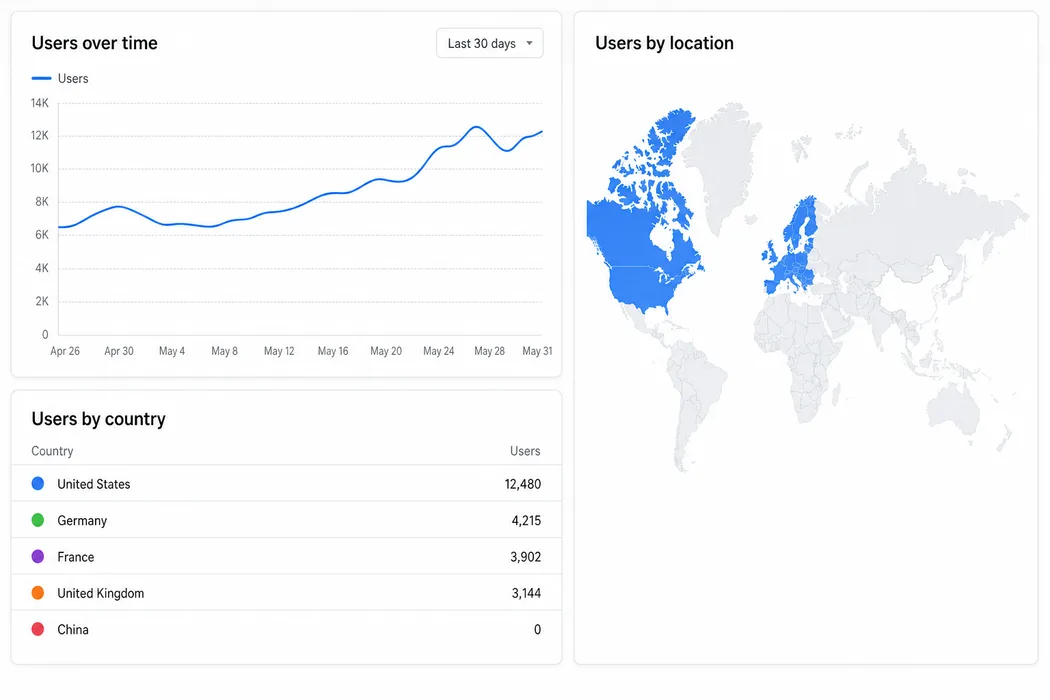
Google Analytics is blocked in mainland China. Both googletagmanager.com and google-analytics.com sit behind the Great Firewall, so the tag your marketing team depends on does nothing for Chinese visitors except cost them time.
Most teams pick one of two bad answers. Rip GA out and go blind everywhere, or leave it in and quietly serve a slower site to everyone in Shanghai, which is one of the commonest ways a WordPress site ends up broken in China.
There’s a third answer. It’s 25 lines of server code, and it’s running on the page you’re reading right now.
What a blocked tag actually costs
The standard gtag snippet loads https://www.googletagmanager.com/gtag/js with async, so it won’t block parsing or rendering. That’s why teams assume a blocked tag is free. The cost sits underneath the fetch.
The Great Firewall rarely returns a clean error. DNS queries for googletagmanager.com come back poisoned, so the browser receives a plausible IP address that leads nowhere. It opens a socket, sends a SYN packet, and waits. No RST comes back. The network stack retries with exponential backoff until something eventually gives up.
| Stage | Outside China | Inside China |
|---|---|---|
| DNS resolution | ~20ms, correct IP | Poisoned response, wrong IP |
| TCP handshake | ~30ms | SYN sent, no reply, retried |
| Script download | ~50KB over the wire, then cached | Never completes |
| Time to give up | n/a | Seconds to over a minute, depending on the browser and the network stack |
While that socket stays open it holds a connection slot, keeps the mobile radio awake, and delays the load event. Anything you wired to load fires late. And if someone added <link rel="preconnect" href="https://www.googletagmanager.com"> to make the tag faster, the hang now starts before the parser has even reached the body.
Then there’s the part you can’t see from a desk in Paris. Your Chinese visitors get a site that feels slow for reasons nobody on the team can reproduce, your monitoring grows a fat tail of bad sessions from CN, and everyone blames the hosting.
An async script that never resolves still holds a socket, still keeps the radio awake, and still delays your load event. Async protects your render. The page still pays.
Why the usual workarounds fail
Four fixes get recommended constantly. All four break, and the reasons are worth walking through.
Self-hosting gtag.js. You proxy the script through your own domain and the download succeeds. Then the script does exactly what it was built to do and beacons measurement hits to google-analytics.com/g/collect. Same block, same hang, 200ms later in the waterfall.
Sniffing the browser language. A Chinese visitor on a foreign B2B site is often browsing in English, and plenty of laptops in Shanghai ship configured as en-US. Language is a preference setting. The packets still come from Shanghai.
Timezone checks get closer. Intl.DateTimeFormat().resolvedOptions().timeZone returns Asia/Shanghai fairly reliably on mainland machines. It also returns Asia/Shanghai for a Chinese expat working in Singapore, and Europe/London for a British engineer sitting in a Shenzhen office. You’re guessing, and you’ll be wrong for the people who matter most.
Calling a geo-IP API from the browser is the one that defeats itself. You add a network round trip to a third-party lookup service, which may itself be slow or blocked from China, to avoid a network round trip. You’ve spent the budget you were trying to save.
The real constraint sits one level up. A static site is built once and cached on a CDN, so every visitor gets byte-for-byte identical HTML. There’s no build-time way to inject a script tag based on something only the request knows.
Move the decision to a first-party endpoint
Every page ships one line, identical for every visitor, fully cacheable:
<script is:inline async src="/ga.js"></script>That URL is on your own domain, already resolved, with a connection already open. And /ga.js is a server route rather than a file, so it runs on every request and can read the request headers. In Astro, that’s export const prerender = false. Vercel injects x-vercel-ip-country at the edge before your code runs.
The whole route:
export const prerender = false;

const GA_ID = 'G-XXXXXXXXXX';
const STUB = '/* analytics not loaded */\n';

const bootstrap = (id: string) => `(function () {
  var s = document.createElement('script');
  s.async = true;
  s.src = 'https://www.googletagmanager.com/gtag/js?id=${id}';
  document.head.appendChild(s);
  window.dataLayer = window.dataLayer || [];
  function gtag() { dataLayer.push(arguments); }
  window.gtag = gtag;
  gtag('js', new Date());
  gtag('config', '${id}');
})();
`;

export const GET: APIRoute = ({ request }) => {
  const country = request.headers.get('x-vercel-ip-country') ?? 'CN';

  return new Response(country !== 'CN' ? bootstrap(GA_ID) : STUB, {
    headers: {
      'Content-Type': 'application/javascript; charset=utf-8',
      'Cache-Control': 'private, no-store',
    },
  });
};
The bootstrap is deliberately dumb. It creates a script element pointing at the real gtag URL, appends it to the head, sets up dataLayer, defines gtag, and fires the standard js and config calls. Same code Google hands you, moved out of the HTML into a response body that only some visitors receive.
| Visitor country | Response | Size | Requests to Google |
|---|---|---|---|
| Anything except CN | gtag bootstrap | 361 bytes | Full GA4 |
| CN, or unknown | /* analytics not loaded */ | 27 bytes | None |
For someone in Shanghai, the entire cost of your analytics stack is one same-origin request returning 27 bytes. No poisoned DNS lookup, no dangling socket, no delayed load. Everyone else gets GA4 exactly as before, one warm-connection hop later, which on our own numbers runs around 20ms.
The cache header is where this breaks
This is where most implementations of the pattern go wrong, and the failure stays invisible until it’s very visible.
The response varies per visitor and a CDN has no way of knowing that unless you tell it. Cache /ga.js with anything permissive and the first response through a given edge node gets stored and replayed to everyone hitting that node afterwards. If the first visitor was in Beijing, analytics just went dark for a region. If they were in Berlin, you’re now pushing the gtag bootstrap into mainland China, which is the exact problem you built this to solve.
The header you want is Cache-Control: private, no-store.
You might reach for Vary: x-vercel-ip-country instead. Don’t. Vary on a non-standard header is honoured inconsistently across intermediary caches and corporate proxies, and what you’d be protecting is a 27-byte payload. Take the certainty.
Cache a geo-dependent response and you will eventually serve the wrong variant to an entire region. The payload is 27 bytes.
no-storecosts you nothing.
Fail closed
One line does more work than the rest of the file: request.headers.get('x-vercel-ip-country') ?? 'CN'.
When the header is missing, the code treats the visitor as Chinese. That covers local development, preview deployments, requests through proxies that strip headers, and anything the edge network couldn’t geolocate. GA loads only on positive confirmation that someone is somewhere else.
Default the other way and every unidentifiable request gets the tag. A good share of those are real people in Guangzhou behind a corporate proxy, which is who you were protecting in the first place.
What this costs you in GA4
Be honest about the trade. Your GA4 property now contains zero mainland China traffic, by design, and it will stay that way.
That matters more than it sounds. Somebody will open GA4 in six months, see a flat line for China, and conclude there’s no demand there. Write it into the property description and into any report that reaches a stakeholder: this data is the world minus China.
For the other half of the picture, pick according to how much the mainland market actually matters to you.
| Approach | What it gives you | Effort |
|---|---|---|
| Baidu Tongji | Full analytics for mainland visitors, loads fast in China, standard on Chinese sites | Medium, some features need a mainland presence |
| Server-side logs or edge analytics | Pageviews, referrers and geography with no client-side script at all | Low, and privacy-friendly |
| A second GA4 property fed by Measurement Protocol | China data inside GA4, no browser request to Google | High, and most client-side dimensions disappear |
For most foreign B2B sites, a light edge counter alongside the gate is enough. If China is a real revenue channel, run Baidu Tongji properly and treat it as the source of truth for that market.
The rest of your analytics stack has the same problem
Pulling GA out and dropping in another hosted script moves the problem to a different hostname. Most of the obvious replacements are foreign hosts too, and several of them fail in a way that is harder to catch than a clean block.
Every row below is a GreatFire reachability verdict: whether a connection to the host opened on its recent conclusive tests, and nothing about speed. Until October this table also carried 21YunBox’s timed loads of each vendor’s website. 21YunBox withdrew those figures on 7 October 2026, so they have gone from this page as well.
| Tool | What the tests show | Conclusive tests | Source and date |
|---|---|---|---|
| Hotjar | static.hotjar.com intermittent | 1 of 2 disrupted | GreatFire 30 Sep 2026 |
| Meta Pixel | connect.facebook.net blocked | none in the last 90 days | GreatFire 27 May 2026 |
| Microsoft Clarity | www.clarity.ms reachable | 0 of 1 disrupted | GreatFire 15 Sep 2026 |
| Mixpanel | Script host cdn.mxpnl.com disrupted, event host api.mixpanel.com reachable | 1 of 1 disrupted, and 0 of 1 | GreatFire 6 and 19 Sep 2026 |
| Segment | Event host api.segment.io reachable | 0 of 1 disrupted | GreatFire 15 Sep 2026 |
| Plausible | plausible.io intermittent | 1 of 2 disrupted | GreatFire 20 Aug 2026 |
| Matomo cloud | No dated test of the cloud tracker | none | n/a |
GreatFire read https://cdn.mxpnl.com as 100% disrupted, 1 of 1 conclusive tests, last tested 6 September 2026, and https://api.mixpanel.com as not blocked, 0 of 1, last tested 19 September 2026. It read https://static.hotjar.com as disrupted on 1 of its last 2 conclusive tests, last tested 30 September 2026. Source: GreatFire, September 2026. https://en.greatfire.org/https/cdn.mxpnl.com and https://en.greatfire.org/https/static.hotjar.com
A reachability verdict means a connection opened from GreatFire’s probes. It says nothing about how long the script took, or what a home broadband line in Beijing gets.
Mixpanel is the row worth reading twice. Its two hostnames got opposite answers in September: the library that has to load first was disrupted, and the endpoint that receives events was not. If the script never arrives, nothing is sent, and the event host’s clean verdict is no help to you.
Hotjar’s script host showed interference on one of its last two tests. Intermittent is the hardest verdict to plan around, because a host like that can pass on the day you check and fail on the day a visitor arrives.
A hard block eventually throws an error that somebody notices. A stalled request sits there quietly until the browser gives up, and your session recording is simply thinner than it should be, in a way no alert will ever tell you about.
Amplitude, and the failure mode worth testing for
Amplitude loads its script from one hostname and posts events to another. When a product splits like that, the two hostnames can get different answers from the same network. The script loads and the events never post. Your dashboard reads as healthy either way.
In April 2026 GreatFire had cdn.amplitude.com reachable while api.amplitude.com was blocked, which is exactly that shape. We re-read GreatFire’s verdicts on both hostnames for this update on 17 September 2026.
cdn.amplitude.comnot blocked, last tested 14 September 2026, all 1 recent conclusive test connected normally.api.amplitude.comnot blocked, last tested 10 September 2026, 0 of 1 disrupted in the last 90 days. Across 13 tested amplitude.com URLs GreatFire records 1 blocked, 3 disrupted and 9 accessible. Source: GreatFire, September 2026. https://en.greatfire.org/https/api.amplitude.com
The April split didn’t reproduce in September. Both of those readings rest on a single conclusive test, which is thin in either direction, and the domain-wide spread says the picture is still mixed.
Which is the actual lesson. A verdict you read somewhere has a date on it, and five months is long enough for it to stop being true. Test the hostname your script loads from and the hostname it posts to, separately, from a network in the country you care about.
What to run instead
Baidu Tongji (百度统计) first, if the mainland market matters to you. Its servers are in the country, so the request never crosses a border, and its reporting is built around Baidu (百度) traffic, which is the traffic you’re trying to understand. Sensors Data (神策) and GrowingIO are the heavier domestic options.
Otherwise, self-host. Plausible and Matomo can both be installed on your own mainland server, which takes their hosted versions, and the verdicts above, out of the picture. That turns a foreign dependency into a first-party request and settles the legal question in the next section at the same time.
One caveat, since this page is mostly about a gate. A self-hosted analytics endpoint inside China needs no gate at all, because there’s nothing to stop. Keep the /ga.js route for GA and for whatever else you load from a foreign host, and let the domestic tool run for everybody.
PIPL applies even to the hosts that answer
Reachability and legality are separate questions, and the second one holds whether or not a host replies.
Google Analytics sends a client ID and an IP address to Google. Under China’s Personal Information Protection Law both are personal information, and sending them out of the mainland is a cross-border transfer.
Where a personal information handler provides personal information outside the territory of the People’s Republic of China, it shall inform the individual of the overseas recipient’s name and contact details, the purpose and method of handling, the categories of personal information, and the way the individual may exercise their rights against that recipient, and shall obtain the individual’s separate consent. Source: Cyberspace Administration of China (中央网络安全和信息化委员会办公室), Personal Information Protection Law of the People’s Republic of China, Article 39. Adopted 20 August 2021, in force 1 November 2021. https://www.cac.gov.cn/2021-08/20/c_1631050028355286.htm
Separate consent means its own opt-in for that transfer, rather than one line inside a banner that covers everything at once.
This argument doesn’t move when the network does. If a blocked host starts answering next month, or Google shifts a hostname, the transfer is still a transfer. The gate closes both questions at once: no request leaves the browser, so there’s no transfer to find a legal basis for. Our guide to PIPL and the Data Security Law covers the thresholds and the filing routes.
Testing it without flying to Shanghai
Local testing is awkward, because the country header only exists in production. Vercel strips any incoming x-vercel-ip-country and injects its own, so you can’t fake it with curl against a deployed URL.
What works:
- Deploy to a preview URL and curl
/ga.jsfrom wherever you are. You should get the bootstrap back, pluscache-control: private, no-storeon the response. - Add a temporary query-string override on the preview branch (
/ga.js?force=cn) so you can eyeball the stub, then delete it before it reaches production. - Run the live URL through a mainland testing service with real nodes in Beijing, Shanghai and Guangzhou. Check the waterfall for any request to googletagmanager.com. There should be none.
- Hit
/ga.jsfrom two different countries within a minute of each other and compare the bodies. Identical responses mean something in front of the route is caching, and you fix that before anything else. - From outside China, confirm in DevTools that the gtag script still appears and GA4 realtime registers your session. It’s easy to gate the tag so thoroughly that you switch it off for everybody.
The same trick works for everything else you load
Google Analytics is the common case, and the mechanism is generic. Any blocked third-party script can be gated the same way. The header name is the only thing that changes.
| Platform | Country signal |
|---|---|
| Vercel | x-vercel-ip-country, injected by default |
| Cloudflare | cf-ipcountry, or request.cf.country in a Worker |
| AWS CloudFront | CloudFront-Viewer-Country, enable it in the origin request policy |
| Netlify | x-nf-geo, encoded JSON that needs decoding first |
| Fastly | client.geo.country_code in VCL or Compute, set your own header from it |
Chat widgets, Maps embeds, YouTube players, reCAPTCHA, hosted font stylesheets. Any of those can leave a socket hanging for a visitor in China, and any of them is one small endpoint away from being harmless. Which ones do it on your site is a question your own testing answers, on the date you test.
Keep the HTML identical for everyone so the CDN can do its job, and push anything that depends on who’s asking into a route on your own domain that answers in 20ms.
Need help with this?
ChinaWebFoundry handles WordPress projects in China end to end. If any of this feels like more than you want to tackle alone, get in touch.
Talk to Us